
Your browser workspace for focused work.
Your work lives across dozens of browser tabs. Tabhive helps you organize it so you always know where to find it.
Works with









 Tabhive
 Home / X
 Instagram
 YouTube
 OpenAI
 Claude
 Gemini


Social
0AI
0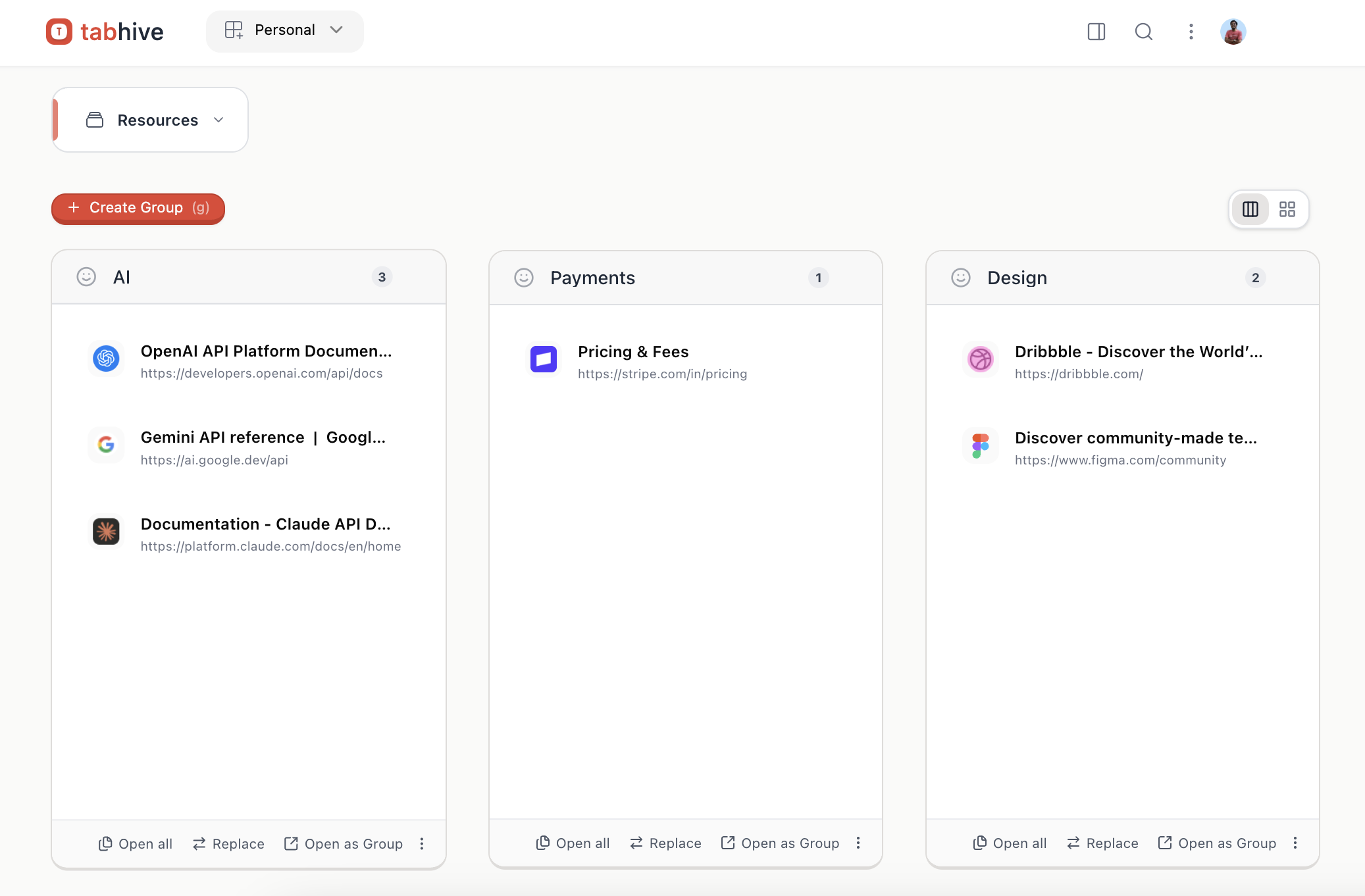
Also available on the App Store

Why Tabhive
Everything you need for focused work.
Save, organize, and find everything you need in one browser workspace.
Organize
Save tabs into clear groups instead of leaving them open forever.
Turn messy browsing into something you can return to. Save pages into spaces and groups that match how you actually think about work.
- Keep research, reading, and active work separated by context.
- Reopen a full set of tabs without rebuilding it from memory.
- Add notes while the context is still fresh.
TabHive





Social media
Home / X
x.com
instagram.com
YouTube
youtube.com
AI
OpenAI
openai.com
Claude
claude.ai
Gemini
gemini.google.com
Find
Find any saved tab in seconds with search and the command menu.
When you remember the idea but not the exact tab title, Tabhive helps you jump back quickly instead of digging through browser history.
- Open the command menu from anywhere and search immediately.
- Jump back to saved links before you finish typing.
- Use AI search when you only remember what the tab was about.
TabHive
Pricing experiments
Group
Stripe pricing notes
Saved tab
Billing ideas
Snippet
Current window: pricing page
Open now
Share
Send a curated collection with one link instead of pasting URLs one by one.
Share groups publicly when you want someone else to see the exact set of tabs you collected, in the order and context that makes sense.
- Recipients do not need Tabhive installed to open what you shared.
- Useful for handoffs, resources, and recommendations.
- Share the result of your research, not just a pile of links.
Public link
Preview
Read onlyStripe pricing
stripe.com
Notion plans
notion.so
Linear billing
linear.app
Collaborate
Keep team research in one shared workspace instead of scattered across messages.
Shared workspaces make it easier to collect links, keep everyone aligned, and preserve the context around a project as it evolves.
- Give a project its own shared home for tabs, notes, and context.
- Make handoffs easier because everyone sees the same source material.
- Stop losing useful links in Slack threads and browser tabs.
Workspace
Invite people
More Tools
The small details that make it feel built in
Once the core workflow clicks, these features make Tabhive faster to live with every day.
Smart AI Search
Can't remember what you saved it as? Just describe it. AI finds it instantly.
Smart Save Tabs
Tabhive uses AI to read your tabs and save them to the right group automatically. Zero sorting needed.
Connect AI Apps (MCP)
Use OAuth or an API key to connect Claude, Cursor, and other AI apps to your saved tabs.
Developer API
Build integrations with secure API keys. Read workspaces, spaces, groups, and tabs, create or update spaces and groups, and add tabs to groups.
Snippets
Right-click any text or code on the web to save it. Find it and copy it in seconds.
Short Links
Type "th" and your shortcut name in the address bar. Land anywhere in two keystrokes.
Reminders
Set reminders for tabs you want to revisit later, right when they matter again.
See It Work
Watch the workflow in under two minutes
A quick tour of how Tabhive helps you save tabs, organize them into context, and pull them back exactly when you need them.
Ready to stop treating your tab bar like temporary storage?
Install it in seconds and start organizing the tabs you actually want to keep.
Try Tabhive FreeEarly Feedback
People use Tabhive because their browser finally feels manageable again.
It quickly becomes part of their everyday workflow.
Thomas Fellows
Agency Owner · qfido.com
“I use a tab / bookmark manager every single day like most people, so having one that is simple and clean makes starting work that requires a specific set of tabs and contexts fast. Tabhive gets that right. The UI and UX are intuitive, so it's easy to save links to the correct location quickly. I really like the smart renaming with AI, individual links or bulk. You can search for your links from the command palette on any tab or website, that feature is a game-changer. These are the kinds of practical features that make Tabhive useful in my daily workflow. Highly recommended, even if you have to take the time to migrate over.”
Tường Bùi
“Tabhive is really great for bookmark management. Easy tab sharing with your team, and the product gets updated with new features very often. 5 stars.”
Shri
Founder · guidejar.com
“As an indie hacker I usually have way too many tabs open while building and researching. Tabhive has been a simple way to keep that chaos under control and keep my browser a bit more sane.”
Markus
“Tabhive has become my #1 startup app. The interface is clean and intuitive, the code clearly feels well-built under the hood, and when you reach out to the developer, you get a fast response — and feature requests actually get implemented. That's exactly the kind of support you wish every piece of software had!”
Start free. Upgrade when you're ready.
Early bird pricing, available for a limited time.
Starter
Try it free, no card needed.
- 50 saved tabs
- 1 space
- 1 workspace
- 3 snippets
- 3 short links
- Unlimited devices
- Command Menu
- Cloud syncing
- Public Sharing
- 5 AI searches per day
Lifetime
Limited timeNo subscriptions. Ever.
Pay once. Use Forever. Every update.
- Unlimited spaces, groups, and workspaces
- Unlimited AI searches (With BYOK)
- Connect AI apps (MCP)
- Developer API access (up to 3 keys)
- Shared workspaces
- Lifetime access
- Free upgrades for life
- 14-day refund window
Free upgrades for life. 14-day refund window.
Pro Plan
Everything you need, nothing you don't.
- Unlimited spaces and groups
- Unlimited devices
- Unlimited AI searches
- Connect AI apps (MCP)
- Developer API access (up to 3 keys)
- Unlimited workspaces
- Unlimited snippets
- Unlimited short links
- Reminders
- Command Menu
- Cloud syncing
- Public Sharing
- Shared workspaces
- Priority support
Team
Pro for your whole team.
Minimum 2 seats
- Everything in Pro
- Seats for your whole team
- Team management
- Priority support
Pro and Team plans come with a 7-day free trial.
Frequently Asked Questions
Have questions about Tabhive? We've got answers.
Bookmarks are a graveyard. You save something and never find it again. Tabhive is built for the way you actually work: fast capture, instant search, and groups that stay organised.
Yes, Tabhive syncs across all your devices. You can access your organized tabs from Chrome, Arc & Brave. Edge support coming soon.
Absolutely. Your tab data is private by default. You have complete control over what you share and with whom. We do not sell your data or use it for advertising purposes.
In Chrome, Brave, or Arc, open a new tab and go to chrome://extensions. Turn on Developer Mode in the top-right, select Details on Tabhive, then click the Update button. You can view the latest changes any time at https://tabhive.userjot.com/updates.
The lifetime deal includes permanent access to unlimited spaces, groups, workspaces, cloud syncing, reminders, and unlimited AI searches (With BYOK).
BYOK stands for "Bring Your Own Key". Free and Lifetime users can add their own OpenAI or OpenRouter API key for AI features. Free users remain limited to 5 AI searches per day even with BYOK, while Lifetime users get unlimited AI searches. Pro users have unlimited built-in AI searches and do not need BYOK.
Yes, Pro and Team plans come with a 7-day free trial so you can explore everything Tabhive offers. The lifetime deal is a one-time purchase and does not include a free trial.
Yes. The Tabhive LTD has a 14-day refund window, so you can try the lifetime deal and request a refund within 14 days if it is not the right fit.
In the free version, you get 1 space, up to 50 saved tabs, and 5 AI searches per day. No API key needed.
Tabhive features a powerful search capability similar to Raycast or Spotlight. Press Cmd/Ctrl+Shift+K to activate the search overlay, then type to instantly find tabs by title, URL, or content.
Yes, you can share your tab collections via unique URLs that anyone can access, even if they don't use Tabhive. This makes it perfect for sharing research or resources.
Yes. The free version includes up to 50 saved tabs, while the subscription and lifetime plans let you save unlimited tabs. Organize as many tabs as you need.
Still have questions?
Contact support